NOTICE: Please read all instructions carefully before proceeding.
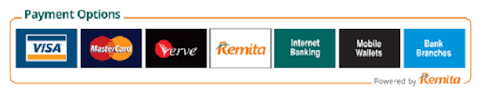
All payments are strictly made via ATM card through the Remita platform on this website.
📢 Problem Completing Online Form After Payment
📢 If you have any problem completing your online form after making payment, please forward the Remita payment confirmation message sent to you to info@oauthc.gov.ng to confirm your payment
All applicants must have an active email address before registration.
Available School Online Forms
    Create Your Account

    Do NOT create multiple accounts.

    • Enter your Surname and Firstname
    • Select your School (cannot be changed later)
    • Enter Phone Number
    • Enter valid Email (must be accessible)
    • Choose Username & Password (min 6 characters)
    Payment Instructions
    • Login to your dashboard
    • Ensure your ATM card supports online payment
    • Click on Entrance Form Payment Menu
    • After submitting your payment details, do not interrupt the payment process
    • Wait for redirection after payment
    • Do NOT click the payment menu twice
    • After being successfully redirected back to our website, please log in again to your dashboard to complete your online registration form.
    Reprint Receipt
    Complete Registration
    • Login to dashboard
    • Click "Complete Your Form"
    • Follow instructions in sequence
    Passport Upload Sample

    Max size: 80KB (jpg, jpeg, png, gif)

    No changes allowed after upload.

    Support

    Email: info@oauthc.gov.ng, oauthc_ileife@yahoo.com

    Phone: +234 8152092776, +234 8152092809

    Monday – Friday (8:30 AM – 5:00 PM)

    Footer - Obafemi Awolowo University Teaching Hospitals Complex